The paperwork, kept with the job
A certificate another app made, a drawing, a supplier’s quote: keep each on the job or the visit it belongs to. When you raise the job’s invoice, its files can go with the email.

30 days of everything, free. No card needed.

Scan to get the app
Add it once, find it on the job
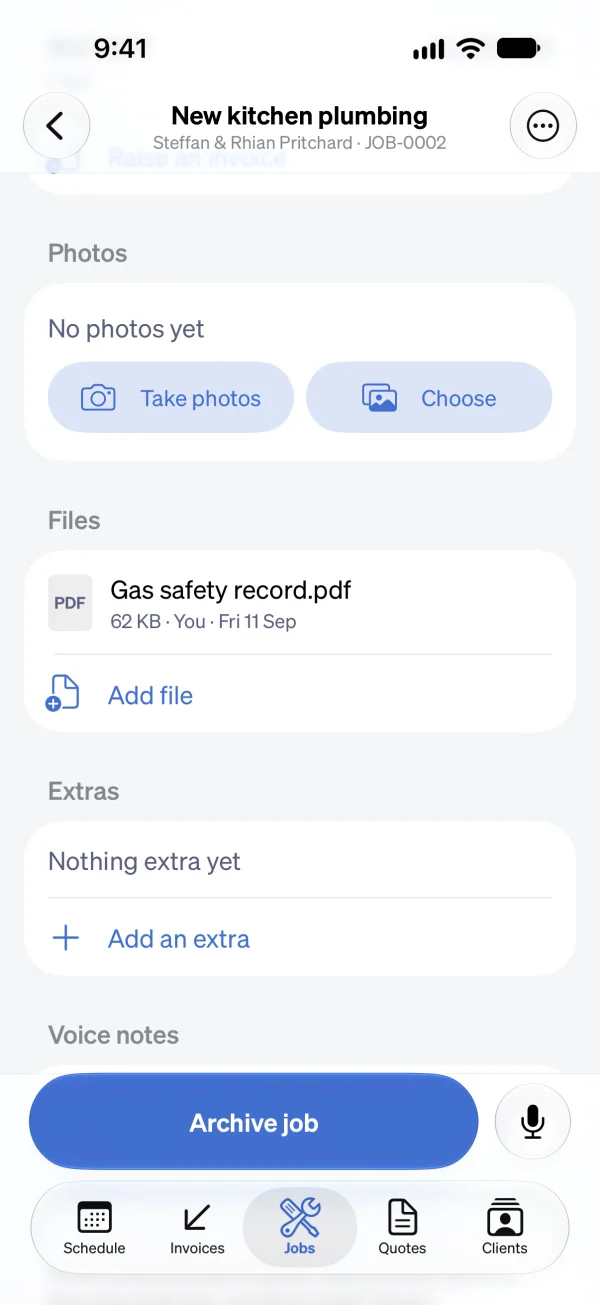
Add a file
On a job or one of its visits, Add file takes a PDF or a picture (JPEG, PNG, or HEIC), up to 10 MB each.
Or share it in
In the Sendinvo app, share a PDF or a picture from another app and choose the job to keep it on.
Find it on the job
The file sits on the job under its own name, with its size, who added it, and the day.
Send it with the invoice
An invoice raised from the job can carry the job’s files in its email, beside the invoice PDF.
Kept as it is, sent when you say
Sendinvo keeps the file and says nothing about it. A certificate kept on a job is the one your certificate app made. Sendinvo doesn’t make certificates or check them.
Not the same as a photo
Photos are a record of the work, taken as you go, and never go to the client. A file is paperwork, and goes to the client when you send it with an invoice.
One budget for an email
The files you send count toward the 10 MB an invoice email can carry, along with your standing email attachments.
Kept when you leave
Nothing is deleted when a subscription ends, and Export everything puts every job’s files in the zip file.
Good to know
Does Sendinvo make or check certificates?
No. Sendinvo keeps the file another app made, on the job it belongs to. It doesn’t make a certificate or say that one is valid.
What kinds of file can I keep?
A PDF, or a picture as JPEG, PNG, or HEIC, up to 10 MB each, and up to a hundred on one job.
Does my client see a job’s files?
Only the ones you send. A file stays on the job until an invoice raised from that job carries it in its email.
Who can see a job’s files?
Everyone on your team who can see the job. A Field person reads the files on the jobs they have a visit on, adds files there, and can delete only their own.
Keep the certificate where the job is.
30 days of everything, free. No card needed.