Ask for the review once you’re paid
Choose where you collect reviews, and Sendinvo asks once the money is in: an email to the client the day after they pay, or a message you send from your own phone when you choose.

30 days of everything, free. No card needed.

Scan to get the app
Choose a site once
Choose where
In Reviews, pick Google, Checkatrade, Trustpilot, or another site, and add your review link.
Choose when
The day after they pay, by email from Sendinvo, or When I choose, by message from you.
They pay
When an invoice is paid, Ask for a review appears on it.
Ask
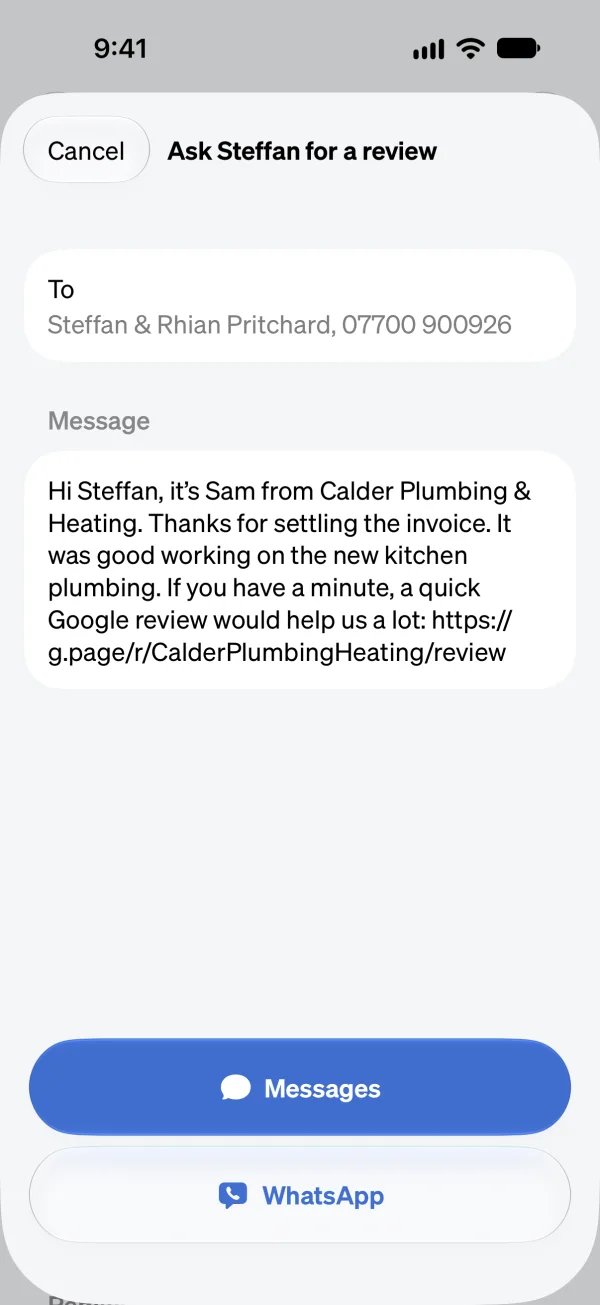
It writes a short thank-you with your review link and opens it in Messages or WhatsApp, for you to send to your client.
A request the client can refuse
A review request goes out in your name. Every review email has a link for the client to stop them, and a client who uses it isn’t asked again.
Leave one client out
Ask for reviews is a switch on each client. Turn it off and that client gets no review email, and Ask for a review is switched off on their invoices and jobs.
Nothing goes without you knowing
By message, nothing goes until you send it. By email, When to ask sits beside the site you chose, where you can see it and change it.
Good to know
Which review sites can I use?
Google, Checkatrade, Trustpilot, or another site of your choice, with its link.
Does Sendinvo email my clients by itself?
Only if When to ask says The day after they pay, which is where it starts when you first choose a site. Choose When I choose and nothing is emailed: you ask by message from a paid invoice.
Can a client say no?
Yes. Every review email has a link to stop them. Once a client has used it they aren’t asked again, and it can’t be turned back on from your account.
Can I leave one client out?
Yes. Turn off Ask for reviews on that client, and turn it back on whenever you like.
Ask while the job’s still fresh.
30 days of everything, free. No card needed.