Paid before you leave
When the job’s done and the client is at the door, Take payment shows the invoice’s pay page as a QR code. They scan it with their own phone and pay by card or from their bank, and your screen says when it has gone through.

30 days of everything, free. No card needed.
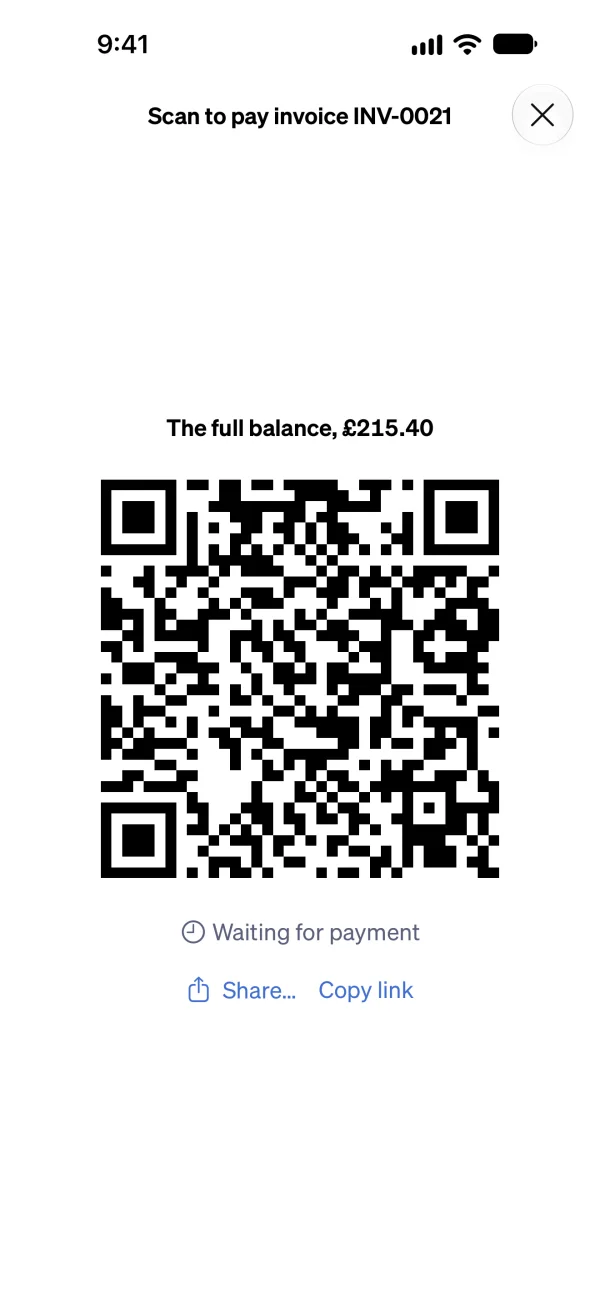
Show the code, and they pay
Open the invoice
On an invoice with money still owed, choose Take payment. It needs online payments connected.
Choose what to ask for
What’s due now, the whole balance, or an amount the client types in themselves.
They scan the code
The client points their phone’s camera at the code and the invoice’s pay page opens. They pay by card or from their bank.
It’s paid
The screen says when the payment has gone through, and it’s on the invoice with nothing for you to record. A bank payment that’s still clearing shows as on its way.
Nothing to buy, nothing to carry
There’s no card reader. The client pays on their own phone, on the same secure page an invoice’s pay link opens, so their card details never touch your phone.
If they’re not standing next to you
Copy link gives you the same page to send by message, for a client who’d rather pay from the sofa.
If they’d rather pay cash
Record the payment on the invoice with how it was paid, and it’s on the invoice the same way.
A deposit or a stage
On an invoice with a deposit or stage payments, what’s due now is the deposit or the stage that’s due.
What it costs
Sendinvo takes no cut. Stripe’s own processing fee applies, as it does to any online payment: see Stripe’s pricing.
In the app and on the web
The Sendinvo app is available on the App Store for iPhone and iPad, and there’s no Android app yet. Take payment works in the Sendinvo app and on the web.
Good to know
Do I need a card reader?
No. Take payment shows a QR code on your screen, and the client pays on their own phone.
What does my client need?
A phone with a camera. The code opens the invoice’s pay page in their browser, with no app to download and no account to make.
Can they pay part of the invoice?
Yes. Choose what the code asks for: what’s due now, the whole balance, or an amount the client types in themselves.
How do I know it has gone through?
The screen says so while you’re standing there, and the payment is on the invoice. A bank payment that’s still clearing shows as on its way.
What if my client would rather pay cash?
Record the payment on the invoice instead, with how it was paid.
Take the money while you’re still on the doorstep.
30 days of everything, free. No card needed.